Samsung Odyssey G5 G50D Review: Is It Worth Buying?
Gaming monitors flood the market every year. Each one promises smoother visuals and sharper gameplay. The Samsung Odyssey G50D enters this crowded space with a simple question: does it still hold up?
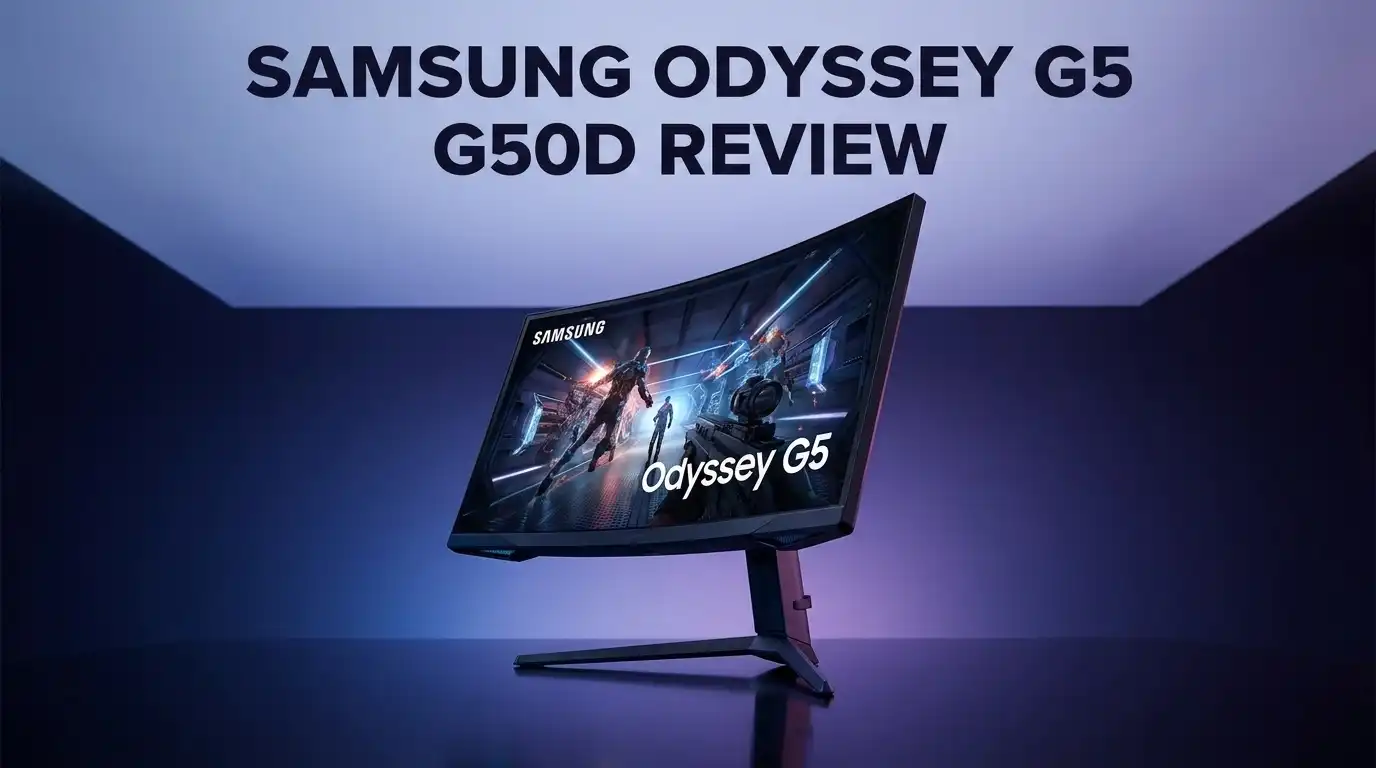
This monitor offers a 27″ or 32″ screen size. It runs at QHD resolution with a 180Hz refresh rate. Gamers who chase fast, fluid motion will notice the difference right away.
Samsung built this display for speed. The 1ms response time keeps ghosting away during fast-paced action. Both FreeSync and G-SYNC compatibility mean fewer screen tears and smoother frames.
In a Nutshell
- Smooth 180Hz refresh rate keeps fast-paced games looking fluid. Motion stays clear during quick action scenes.
- Response times stay quick across the entire VRR range. This gives you consistent performance whether you play at low or high frame rates.
- Input lag stays low, so your clicks and moves feel instant. Competitive gamers will notice this benefit right away.
- Both FreeSync and G-SYNC compatibility mean fewer screen tears. Your gameplay stays smooth no matter which graphics card you use.
- Dark scenes are where this monitor struggles. Black levels appear gray rather than deep black, especially in dim rooms.
- Contrast performance falls short too. Movies and games with lots of shadow detail may lose some visual punch.
- The entry-level positioning means you get fewer extra features compared to premium models. Think of this as a monitor that focuses on the essentials.
Overall, the G50D nails speed and responsiveness. But it trades away deep blacks and rich contrast to get there.
Display Specifications and Resolution
The Samsung G50D delivers a 2560×1440 resolution, commonly known as QHD. This sits between standard 1080p and ultra-sharp 4K displays. You get sharp text and crisp details without demanding extreme GPU power.
The 27 inch and 32 inch panel sizes give you flexibility. Smaller screens suit desk setups with limited space. Larger panels work better for immersive gaming from a distance. Both maintain the same QHD pixel density, so image clarity remains consistent.
180Hz refresh rate forms the core of this monitor’s appeal. Your screen updates 180 times per second. This means smoother motion in fast paced games like shooters and action titles. The difference between 180Hz and standard 60Hz is immediately noticeable during gameplay.
Response time measures how quickly pixels change color. The G50D achieves 1ms GtG (gray to gray) performance. This speed keeps motion blur minimal and ensures your inputs feel responsive. Fast response times matter most in competitive gaming scenarios.
Brightness reaches 350 cd/m². This level handles well lit rooms without issues. You won’t experience glare or washed out colors in normal lighting conditions. However, peak brightness doesn’t reach the levels found in premium gaming monitors.
The 1000:1 contrast ratio reveals a limitation here. This specification describes the difference between the brightest whites and darkest blacks your screen can display. Standard IPS or VA panels typically exceed this ratio. The G50D’s contrast performance remains adequate for general gaming but doesn’t excel in dark scenes.
Compatibility matters too. The monitor works with both FreeSync and G-SYNC technology. NVIDIA users benefit from G-SYNC support. AMD users get FreeSync. This dual compatibility removes the need to match your graphics card brand to your monitor.
The display sits at an entry level positioning. You receive solid speed and responsiveness. However, advanced features like local dimming or mini LED backlighting don’t appear here. The G50D focuses its strengths on refresh rate and response time rather than visual enhancements.

Last update on 2026-07-27 / Affiliate links / Images from Amazon Product Advertising API Some of the links on this website are affiliate links, which means that at no additional cost to you, I earn a commission if you click through and make a purchase. I only recommend products and services that I believe will add value to my readers. Thank you for your support!
Refresh Rate and Response Time Performance
The refresh rate and response time form the backbone of gaming monitor performance. The Samsung G50D delivers a 180Hz refresh rate, which means your screen refreshes 180 times every second. This speed keeps fast paced games looking smooth and fluid.
Response time measures how quickly pixels shift from one color to another. The G50D achieves a 1ms GtG (gray to gray) response time. This speed matters because slower responses create ghosting or motion blur during intense gameplay. You notice the difference most in competitive shooters and fighting games.
What makes the G50D stand out is consistency. The response time stays quick across the entire VRR range. This means whether you’re running 60 frames per second or 180 frames per second, pixel transitions remain sharp and clean. No stuttering. No weird delays.
Input lag is another critical factor. Low input lag ensures your mouse clicks and keyboard presses register instantly on screen. Gamers feel this difference immediately. Your actions feel responsive and connected to what happens on screen.
The monitor supports both FreeSync and G-SYNC technology. This dual compatibility eliminates screen tearing regardless of your graphics card. AMD users get FreeSync. NVIDIA users get G-SYNC. Either way, you enjoy tear free gameplay.
However, the speed advantage comes with tradeoffs. The 1000:1 contrast ratio limits depth in dark scenes. Black levels appear more gray than true black, especially in dim rooms. This weakness doesn’t affect competitive shooters or bright games, but story driven titles suffer.
The 2560×1440 resolution pairs well with the 180Hz refresh rate. You get sharp images without sacrificing frame rates. This balance appeals to gamers who want both visual quality and smooth performance.
Overall, the G50D excels at what it promises: speed and responsiveness. The 180Hz refresh rate and 1ms response time deliver competitive edge in fast paced games. If you prioritize smooth gameplay over contrast depth, this monitor performs admirably. The consistent response times across the VRR range prove Samsung engineered this display for serious gaming.
Color Accuracy and Contrast Quality
The G50D’s color accuracy sits at an entry level standard. The monitor handles most gaming content well enough, but it doesn’t push boundaries in this area. You’ll notice colors remain consistent across the screen without major shifts or banding issues.
Contrast performance is where the G50D shows real limitations. The 1000:1 contrast ratio sounds reasonable on paper, but real world performance tells a different story. Black levels appear gray rather than true black, especially in dark rooms. This happens because the monitor cannot crush blacks effectively.
For competitive gaming, this contrast weakness matters less. Fast paced shooters and action games don’t rely heavily on deep blacks. You won’t notice the gray blacks during intense gameplay moments. However, story driven games and cinematic experiences suffer noticeably.
The brightness level reaches 350 cd/m², which is solid for general use. This brightness helps combat glare in well lit rooms. It also means HDR content, if supported, won’t reach its full potential. The monitor simply lacks the peak brightness needed for modern HDR standards.
Color volume remains limited due to the entry level panel technology. The G50D won’t match OLED competitors in color vibrancy or depth. IPS panel characteristics mean viewing angles stay decent, but color accuracy drops when viewing from extreme angles.
Backlighting uses standard LED technology without local dimming zones. This means the monitor can’t brighten specific areas while keeping others dark. Every part of the screen shares the same brightness level, limiting contrast control.
The display works fine for everyday computing tasks. Spreadsheets, documents, and web browsing look clear and sharp. Professional color work demands better accuracy than this monitor provides. Content creators should consider alternatives with wider color gamuts.
For gaming specifically, the contrast limitations matter less than speed performance. The G50D prioritizes responsiveness over picture quality. This trade off makes sense for competitive players who value frame rates and input lag over visual perfection. Casual gamers seeking visual quality should explore other options.
Top 3 Alternatives
LG UltraGear Monitor


Last update on 2026-07-27 / Affiliate links / Images from Amazon Product Advertising API Some of the links on this website are affiliate links, which means that at no additional cost to you, I earn a commission if you click through and make a purchase. I only recommend products and services that I believe will add value to my readers. Thank you for your support!
The LG UltraGear Monitor stands out as a strong competitor in the gaming display space. This monitor delivers fast refresh rates and low response times that serious gamers appreciate. The panel technology produces vibrant colors and deep blacks for immersive gameplay.
ASUS ProArt Display

Last update on 2026-07-27 / Affiliate links / Images from Amazon Product Advertising API Some of the links on this website are affiliate links, which means that at no additional cost to you, I earn a commission if you click through and make a purchase. I only recommend products and services that I believe will add value to my readers. Thank you for your support!
The ASUS ProArt Display caters to professionals and creators who demand accuracy. This monitor features excellent color reproduction and factory calibration. You get precise color grading for photo and video work.
Dell S Series Monitor

Last update on 2026-07-27 / Affiliate links / Images from Amazon Product Advertising API Some of the links on this website are affiliate links, which means that at no additional cost to you, I earn a commission if you click through and make a purchase. I only recommend products and services that I believe will add value to my readers. Thank you for your support!
The Dell S Series Monitor provides reliable performance for both work and entertainment. This line offers various size options to fit different desk setups. Dell includes helpful features like flicker-free technology to reduce eye strain during long sessions.
Gaming Performance and Input Lag
The Samsung G50D shines when it comes to raw gaming responsiveness. The 1ms response time keeps pixel transitions lightning fast, which matters most during competitive play. You’ll notice smooth motion when tracking fast moving targets across the screen.
Input lag sits at impressively low levels on this monitor. This means the delay between your mouse click and what appears on screen stays minimal. For esports titles where milliseconds count, this performance holds its own against pricier alternatives.
The 180Hz refresh rate pairs perfectly with the quick response time. You get fluid motion that feels responsive under your control. Whether you’re playing shooters or fast paced action games, the monitor keeps up without stuttering or ghosting artifacts.
One key strength is consistency across the entire VRR range. Variable refresh rate technology works smoothly whether you’re hitting 60fps or pushing toward 180fps. The monitor maintains stable performance without sudden jumps or drops in responsiveness that could throw off your aim.
Both FreeSync and G-Sync compatibility give you flexibility with your graphics card. AMD and NVIDIA users alike can enable adaptive sync for tear free gameplay. This eliminates the screen tearing that happens when your frame rate doesn’t match the refresh rate.
The 2560×1440 resolution adds another layer of performance consideration. Higher resolution means your GPU works harder to push frames, but the 180Hz rate gives you room to work with modern graphics cards. You get sharper image quality compared to 1080p while maintaining smooth frame rates.
Where the G50D differs from premium gaming monitors is in the overall package. The entry level positioning means fewer bells and whistles in other areas. But for the core gaming experience of speed and responsiveness, this monitor delivers solid performance that competes effectively in its category.
The monitor proves that you don’t need cutting edge features to get great gaming responsiveness. Speed and consistency remain its strongest selling points for players who prioritize smooth, lag free gameplay above all else.
Compatibility and Adaptive Sync Technology
The Samsung G50D delivers solid adaptive sync technology that works seamlessly with most gaming setups. The monitor supports both FreeSync and G-Sync, which means you can pair it with virtually any graphics card without compatibility issues.
FreeSync compatibility ensures smooth performance with AMD graphics cards. The technology eliminates screen tearing by syncing the monitor’s refresh rate to your GPU’s output. You’ll notice fewer visual glitches during fast-paced gameplay, especially when frame rates fluctuate.
G-Sync compatibility opens the door for NVIDIA users. This adaptive sync solution works similarly to FreeSync but uses NVIDIA’s proprietary technology. The G50D handles both standards without requiring special settings or additional hardware.
What makes the G50D particularly appealing is how well it maintains performance across the entire VRR range. The monitor stays responsive whether you’re hitting 60 frames per second or pushing 180 frames per second. This consistency matters because many games don’t maintain steady frame rates throughout gameplay.
The 1ms response time works hand in hand with adaptive sync technology. When your GPU and monitor communicate through FreeSync or G-Sync, the fast pixel response ensures each frame displays cleanly without ghosting or blur. This combination creates a genuinely smooth gaming experience.
Input lag remains minimal even when adaptive sync is active. The monitor doesn’t introduce noticeable delays between your mouse movements and on-screen actions. For competitive shooters and fast-paced titles, this responsiveness proves invaluable.
The 180Hz refresh rate maximizes what adaptive sync can deliver. Higher refresh rates give adaptive sync more flexibility to eliminate tearing while maintaining smoothness. You’ll see the benefits most clearly in games where frame rates vary between 100 and 180 fps.
One practical consideration: the G50D’s adaptive sync works best when your system can maintain consistent frame rates. If your GPU struggles to keep up with demanding games, you’ll still experience some stuttering. However, the monitor’s technology minimizes these issues effectively.
Overall, the G50D positions adaptive sync as a genuine strength. It offers compatibility with both major ecosystems and delivers the smooth, responsive gaming that modern players expect.
Pros and Cons
Pros
- Fast 1ms response times stay consistent across the entire VRR range for smooth competitive gaming
- Low input lag keeps your actions responsive even during intense multiplayer sessions
- Works with both FreeSync and G-Sync, so you’re not locked into one graphics card brand
- 180Hz refresh rate delivers fluid motion that feels noticeably smoother than standard 144Hz displays
- QHD resolution at 2560×1440 provides sharp visuals without crushing frame rates
Cons
- Black levels appear washed out and gray in dark rooms, limiting contrast performance for movies and single player games
- Entry level panel technology restricts color volume and overall visual depth compared to premium alternatives
- Limited feature set means you miss out on extras like USB hubs, height adjustment, or advanced picture modes found on higher end models
Who Should Buy It
The Samsung G50D works best for competitive gamers who prioritize speed over visual perfection. If you play fast paced shooters, fighting games, or esports titles, this monitor delivers the responsiveness you need.
Your graphics card choice matters less here. The dual adaptive sync support means AMD and NVIDIA users both get smooth, tear free gameplay. You won’t feel locked into one ecosystem.
Multiplayer enthusiasts will appreciate the low input lag and 1ms response times. Every action registers immediately on screen. The 180Hz refresh rate keeps motion fluid during intense firefights or ranked matches.
The QHD resolution suits competitive players well. You get sharp visuals without demanding extreme frame rates from your GPU. Your system can maintain high refresh rates more easily at 2560×1440 compared to 4K displays.
However, skip this monitor if you play story driven single player games frequently. The washed out black levels hurt immersion in dark scenes. Movies and cinematic experiences won’t look their best on this panel.
Content creators should look elsewhere too. The limited contrast ratio and entry level panel technology restrict color accuracy. Professional work demands better color volume and depth.
Casual gamers who play a mix of titles will find the G50D acceptable but unremarkable. It won’t wow you with visual quality, but it won’t frustrate you either.
The G50D also suits budget conscious gamers who want solid performance without premium features. You get genuine 180Hz smoothness and responsive gameplay. The trade off is accepting average picture quality.
Streamers benefit from the consistent performance and low input lag. Your gameplay appears smooth to viewers, and you feel responsive while playing. The 27 inch and 32 inch size options let you pick what fits your desk setup.
If you upgrade from a 60Hz or 144Hz display, the jump to 180Hz feels noticeably smoother. The improvement is real and immediately obvious during gaming sessions.
Ultimately, the G50D targets competitive players who value speed and responsiveness above all else. Visual excellence takes a back seat to gaming performance here. That’s the core philosophy behind this monitor.
Final Verdict
The Samsung G50D holds its ground in a crowded monitor market. Speed and consistency remain its biggest strengths. It competes well against rivals like the Dell G2724D and MSI G274QPF QD.
Against OLED options like the ASUS ROG Strix XG27AQDMG, the G50D cannot match visual depth. That said, OLED panels bring different tradeoffs too. Burn in risk and higher costs make them less practical for everyone.
The Gigabyte GO27Q24G and ASUS TUF Gaming VG27AQZ offer similar refresh rates. Samsung’s panel still holds its own in raw speed metrics. This makes the G50D a solid pick within its category.
Is it still competitive in 2024? Yes, for a specific type of buyer. Gamers who value smooth motion over rich visuals will find this monitor satisfying. Those chasing cinematic quality should look at other panels.
The lack of extensive professional reviews makes this monitor somewhat of an unknown quantity. Early user feedback suggests reliable performance though. This monitor seems built for function over flash.
Longevity is another factor worth considering. Samsung has a strong track record with monitor durability. The G50D likely benefits from this manufacturing consistency.
Should you buy the Samsung G50D? It depends on your priorities. If speed and smooth gameplay matter most, this monitor delivers reliably. If you want stunning visuals and deep blacks, keep looking elsewhere.
The competitive gaming crowd will feel right at home with this display. Casual viewers seeking movie night quality might feel underwhelmed. Match the monitor to your actual use case first.
Final thought: The G50D proves that solid fundamentals still matter. It skips flashy features to focus on core gaming performance. That focused approach makes it a worthy contender for the right buyer.
Frequently Asked Questions
Does the Samsung G50D work for console gaming?
Yes, but with limits. The 180Hz refresh rate and 1ms response time shine on PS5 and Xbox Series X when games hit high frame rates. However, the washed out black levels hurt immersion in dark scenes. Console games often prioritize visual quality over raw speed, so the G50D’s weak contrast becomes more noticeable here. You’ll enjoy smooth gameplay, yet miss the depth that OLED or premium VA panels deliver.
Can I use this monitor for streaming and gaming at the same time?
The G50D handles multitasking fine from a technical standpoint. The QHD resolution gives you enough screen real estate to split windows. However, the entry level panel limits color accuracy. If streaming requires precise color representation, consider a display with better color volume. For casual streaming where speed matters more than perfect colors, this monitor works adequately.
How does the G50D compare to OLED gaming monitors?
OLED displays crush the G50D in contrast and black levels. OLED pixels emit their own light, so blacks appear truly black instead of gray. The G50D uses a standard backlit panel, which cannot match this performance. OLED monitors cost more and have different trade offs like potential burn in. For pure visual quality, OLED wins. For raw speed and response times, both perform similarly.
Is 180Hz noticeably better than 144Hz?
Most people notice the difference. The jump from 144Hz to 180Hz adds smoothness, though less dramatic than 60Hz to 144Hz. Fast paced shooters benefit most from this extra fluidity. Slower games show minimal improvement. Your graphics card must push sufficient frames to actually reach 180Hz, or you won’t see the benefit.

Hello everyone my name is Alenya and i am a gadget discovering Enthusiast 🐻🐻