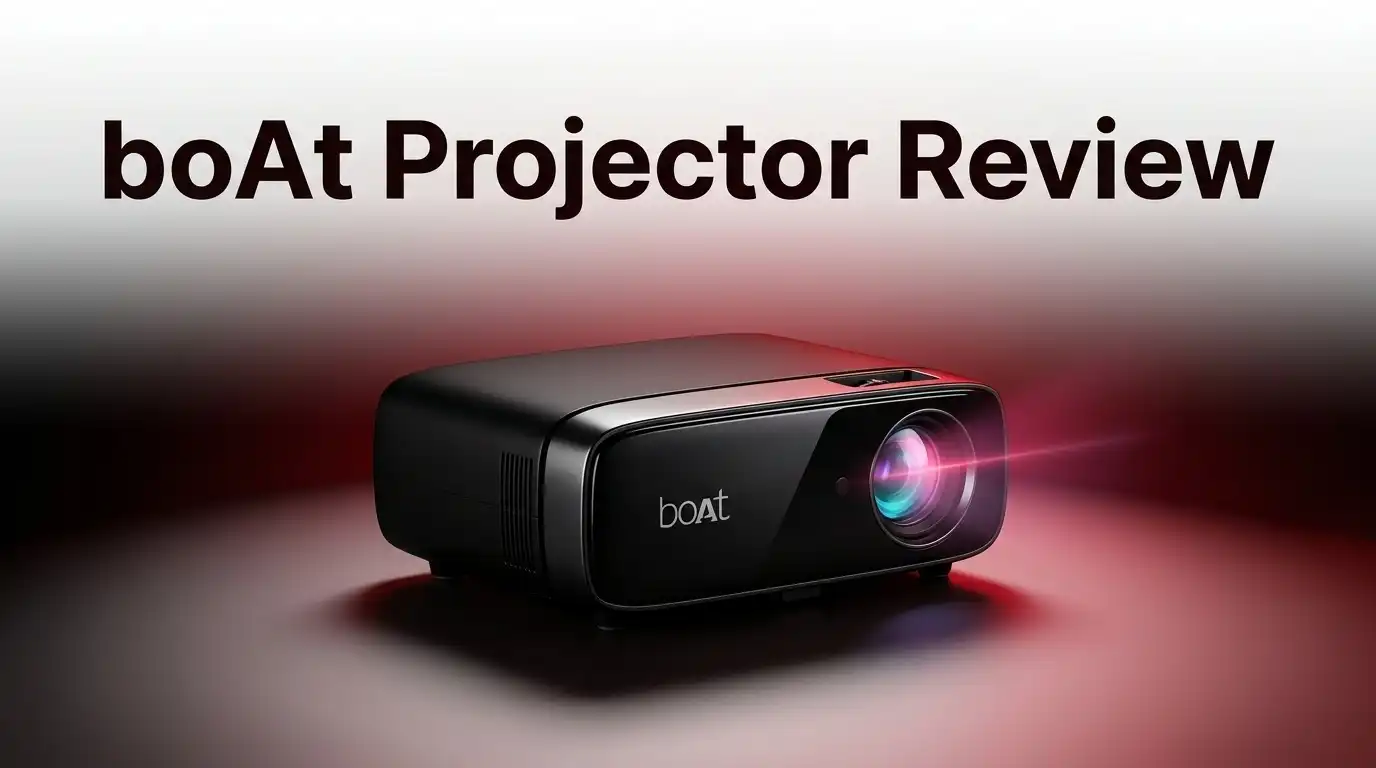
boAt Projector Review 2026: Worth Buying?
Want a big screen movie night without a bulky TV? The boAt projector promises just that.
boAt built its name on audio gear. Now it steps into the projector space with two models: the E1 and the M1. Both aim to turn any wall into a home theater.
The E1 offers HD clarity with a solid 150 ANSI lumens. The M1 steps up with Full HD resolution and smarter connectivity like Bluetooth and screen mirroring.
But specs on paper only tell half the story. Does the picture quality hold up in real use? Can the built in speakers handle movie nights alone? And is setup actually as simple as boAt claims?
In a Nutshell
- Screen size flexes big. You get a projection range from 30 inches to a massive 150 inches. This works for cozy rooms or larger setups.
- Picture quality holds up well. Both models deliver clear visuals with decent color and brightness. The M1 pushes this further with Full HD resolution and 200 ANSI lumens.
- Setup feels simple. Auto keystone correction means you won’t fuss over angles. Just place it and watch.
- Connectivity is a strong point. The M1 brings Bluetooth, HDMI, and screen mirroring to the table. App store access adds extra flexibility for streaming.
- Audio needs backup. Built in speakers are weak on both models. Plan on pairing an external speaker for real impact.
- Lighting matters a lot. These projectors shine best in dim or dark rooms. Bright daylight will wash out the picture.
Key Specifications and Models
The boAt projector comes in two main models. Each one serves different needs and use cases.
The E1 model delivers HD resolution at 1280×720p. It produces 150 ANSI lumens of brightness. The throw distance ranges from 1.2 to 4.5 meters, which means you can place it quite close or far from your wall. The built-in speaker is 3W, which is fairly basic for audio output.
The M1 model steps up to Full HD at 1080p resolution. It bumps the brightness to 200 ANSI lumens, making it noticeably brighter than the E1. This model includes a 6W speaker, giving you slightly better audio than the entry-level option. The M1 also adds Bluetooth connectivity and screen mirroring features, which the E1 may lack.
Both models project images between 30 and 150 inches on screen. This size range covers everything from small room viewing to full wall cinema experiences. The throw distance on both stays in the same ballpark, so placement flexibility is similar.
Brightness matters here. The M1’s 200 ANSI lumens versus the E1’s 150 ANSI lumens makes a real difference in darker rooms. Neither model handles bright daylight well. You will get the best results when you use these projectors in low-light spaces.
Connectivity options vary. The M1 gives you multiple ways to connect your devices. You can use HDMI cables, Bluetooth for wireless audio, or screen mirroring from your phone. The E1 is more basic here, so check what ports it includes before buying.
Speaker output is a weak point on both. The 3W and 6W speakers are honestly too small for comfortable movie watching. You will want to connect external speakers or a soundbar to enjoy films properly.
The key difference between models comes down to resolution, brightness, and connectivity. Pick the E1 if you want simplicity and basic HD viewing. Choose the M1 if you need Full HD clarity, extra brightness, and wireless connectivity options.

Last update on 2026-09-19 / Affiliate links / Images from Amazon Product Advertising API Some of the links on this website are affiliate links, which means that at no additional cost to you, I earn a commission if you click through and make a purchase. I only recommend products and services that I believe will add value to my readers. Thank you for your support!
Picture Quality and Brightness Performance
Picture quality on the boAt projector depends heavily on which model you choose and your room setup. The M1 delivers sharper images thanks to its 1080p Full HD resolution compared to the E1’s 720p output. This difference becomes obvious when you project text heavy content or watch movies with fine details.
Brightness performance tells an interesting story here. The M1 pushes 200 ANSI lumens while the E1 manages 150 ANSI lumens. Both numbers sound decent on paper, but real world use reveals a key limitation. These projectors perform best in low light environments. Dim rooms and dark spaces bring out their true potential. Switch on bright overhead lights, and the image washes out noticeably.
The throw distance affects picture quality too. Both models work from 1.2 to 4.5 meters away from your screen. Closer distances give you smaller images with sharper focus. Farther distances create that massive 150 inch screen, but sharpness drops slightly at extreme distances. You will find a sweet spot around 2 to 3 meters for most living rooms.
Color reproduction stays consistent across both models. Blues and reds pop nicely. Skin tones look natural without strange color casts. Contrast levels are solid for a projector at this spec level. Dark scenes don’t turn into murky blobs, and bright scenes retain detail.
Auto keystone correction handles angle problems automatically. Tilt the projector up, down, or sideways, and the software adjusts the image shape to stay rectangular. This keeps picture quality from degrading when you cannot mount the projector perfectly straight.
One real world observation matters here. The M1’s extra brightness makes a tangible difference in slightly lit rooms. If your space gets some ambient light from windows or lamps, the M1 pulls ahead. The E1 works fine in completely dark rooms but struggles with any background light.
Overall, expect crisp, colorful images in dark spaces. Brightness won’t match premium projectors, but it handles typical home viewing just fine when lighting conditions cooperate.
Setup, Connectivity, and Ease of Use
Getting your boAt projector up and running takes just a few minutes. Both the E1 and M1 models come with straightforward setup steps that don’t require technical knowledge.
Auto keystone correction is a real time saver here. This feature automatically adjusts the image shape so it appears square and straight on your screen, even if the projector sits at an angle. You won’t need to manually twist knobs or fiddle with settings to fix trapezoidal distortion.
The M1 model shines when it comes to connectivity options. You get Bluetooth support, which lets you connect wireless speakers or headphones directly. HDMI ports give you a wired connection for laptops, streaming devices, or gaming consoles. Screen mirroring capability means you can cast content from your phone without any cables.
The E1 model offers basic connectivity but fewer options overall. It still handles standard connections, but the M1 simply gives you more flexibility for how you want to link your devices.
One thing to know: placement matters a lot. The throw distance determines where you position the projector relative to your screen. With a range from 1.2 to 4.5 meters, you have options for small rooms or larger spaces. Measure your room before setup so you know where to place the unit.
Audio is the weak spot on both models. The built in speakers (3W on E1, 6W on M1) sound tinny and quiet for movie watching. You’ll want to connect external speakers via Bluetooth or audio cables right from the start. This adds an extra step but makes the experience much better.
Lamp focus and zoom adjustments are manual on these projectors. You’ll twist a ring on the lens to sharpen the image and adjust size. This takes about a minute of practice to get right.
Overall, setup and connectivity feel user friendly. The auto keystone correction removes the biggest hassle, and the M1’s wireless options make connecting devices simple. Just plan to add external speakers and measure your space before you start.
Top 3 Alternatives
Anker Nebula Projector

Last update on 2026-09-07 / Affiliate links / Images from Amazon Product Advertising API Some of the links on this website are affiliate links, which means that at no additional cost to you, I earn a commission if you click through and make a purchase. I only recommend products and services that I believe will add value to my readers. Thank you for your support!
ASUS VivoBeam Projector


Last update on 2026-09-19 / Affiliate links / Images from Amazon Product Advertising API Some of the links on this website are affiliate links, which means that at no additional cost to you, I earn a commission if you click through and make a purchase. I only recommend products and services that I believe will add value to my readers. Thank you for your support!
Epson EpiqVision Projector

Last update on 2026-09-19 / Affiliate links / Images from Amazon Product Advertising API Some of the links on this website are affiliate links, which means that at no additional cost to you, I earn a commission if you click through and make a purchase. I only recommend products and services that I believe will add value to my readers. Thank you for your support!
Audio Quality and Speaker Performance
The boAt projector’s audio performance is one area where you need to set realistic expectations. Both the E1 and M1 models rely on small built-in speakers that simply cannot fill a room with quality sound.
The E1 model comes with a 3W speaker. This output is quite limited for movie nights or gaming sessions. You’ll notice dialogue becomes harder to hear at normal volume levels. The speaker struggles when you’re projecting onto larger screens in bigger rooms.
The M1 model bumps up to a 6W speaker. While this is double the power, it’s still not enough for immersive audio. The improvement helps, but it doesn’t solve the core problem. Both speakers lack the depth and clarity you’d want from a dedicated home theater setup.
Here’s what matters most: external speakers become essential if you plan to watch movies regularly. The built-in audio works fine for casual viewing or presentations. For anything beyond that, you’ll want to connect a Bluetooth speaker or a soundbar to the M1 model.
The M1 includes Bluetooth connectivity, which makes adding external audio sources simple and wireless. You can pair it with most modern speakers within minutes. The E1 offers fewer connectivity options, so adding external audio requires more planning.
Room acoustics play a role too. Smaller rooms with hard walls will amplify the speaker’s output slightly. Larger spaces with soft furnishings will absorb sound, making the weak speakers even more noticeable.
Think of the built-in audio as a bonus feature, not a selling point. These projectors excel at delivering large, bright images. Sound quality isn’t their strength. If you’re buying this projector mainly for movies or gaming, budget for external speakers separately.
The good news? Adding quality audio doesn’t require expensive equipment. Many affordable Bluetooth speakers pair easily with the M1. This combination transforms your viewing experience without major hassle.
Lighting Conditions and Room Requirements
Lighting conditions make a huge difference with the boAt projector. Both the E1 and M1 models perform best in dark or dimly lit rooms. Direct sunlight or bright ambient light will wash out your image quality significantly.
Here’s why: the projectors have 150 and 200 ANSI lumens respectively. This brightness level works great for evening viewing but struggles against daylight. If you watch movies during the day, you’ll need heavy curtains or blackout blinds to get a decent picture.
Low light rooms are your sweet spot. Bedrooms, home theaters, or living rooms with controllable lighting will give you the best results. The colors pop more, contrast improves, and the overall viewing experience feels sharper in these conditions.
Room size matters too. Both models project images from 30 to 150 inches depending on your throw distance. A smaller room means you sit closer to the screen, which works fine. Larger rooms give you more flexibility with placement. The key is measuring your space before buying to ensure the throw distance works for your setup.
Wall color affects picture quality as well. A white or light gray wall reflects the image better than dark surfaces. If you have a darker wall, consider using a projector screen. This investment improves brightness, contrast, and color accuracy noticeably.
Ceiling height and room layout deserve attention too. You need enough space to mount or place the projector without obstruction. The auto keystone correction handles slight angles, but you still want a relatively clear path between the projector and your screen.
For occasional use in bright conditions, you’ll be disappointed. The boAt projector isn’t designed for living rooms with lots of windows or outdoor use. It shines in controlled environments where you can manage the lighting.
Think of it this way: if you can create a dark viewing space, the boAt delivers excellent image quality. If your room stays bright most of the time, this projector won’t meet your expectations. Match your room setup to the projector’s strengths for the best experience.
Pros and Cons
Pros
- Projects images up to 150 inches on your wall, giving you a cinema-like experience
- Auto keystone correction means you skip the manual alignment hassle
- Multiple connectivity options let you connect via HDMI, Bluetooth, and screen mirroring
- Picture quality and color output shine in low-light spaces
- App store access opens up streaming options directly on the projector
Cons
- Built-in speakers are weak; you’ll want external audio for regular movie watching
- Performance drops significantly in bright rooms or daylight conditions
- Manual focus and zoom adjustments require hands-on tweaking each time you set up
- Basic specs compared to other options in the same category
Who Should Buy It
The boAt projector works best for specific types of users. Let’s break down who gets the most value from this device.
Home theater enthusiasts benefit most from these projectors. You need a dedicated dark room where you can control the lighting. Bedrooms with blackout curtains or basement home theaters are ideal. The projectors deliver cinema-like experiences when brightness stays low. If you already have a dark viewing space, this device slots in perfectly.
Casual movie watchers should consider their viewing habits first. Do you watch films occasionally on weekends? Then this projector suits you. Do you watch during daytime or in bright living rooms? Skip it. The 150 and 200 ANSI lumens output means performance drops in daylight. Your room’s lighting directly impacts your satisfaction.
Gamers and content creators find value here too. The screen mirroring feature lets you display smartphone content instantly. The app store access means you stream directly without extra devices. Multiple connectivity options give you flexibility with HDMI and Bluetooth. Auto keystone correction saves setup time during gaming sessions.
Budget conscious buyers appreciate the large screen sizes. You get projection up to 150 inches without spending heavily. The M1 model’s Full HD resolution handles most streaming content well. However, know your limits. You’ll need external speakers for regular use. The built-in audio simply isn’t strong enough for movies.
NOT ideal for bright room environments or daytime use. If your living room gets constant sunlight, look elsewhere. Business presentations in conference rooms with overhead lights? This projector will disappoint. The specs don’t support professional settings with ambient lighting.
Wall and ceiling requirements matter too. You need enough throw distance (1.2 to 4.5 meters depending on screen size). White or light colored walls work best for image quality. Dark walls reduce brightness significantly.
The verdict: Buy this if you have a dark room, watch movies occasionally, and want large screen sizes. Skip it if you need daylight performance or professional-grade audio. Your room setup determines whether this purchase makes sense.
Final Verdict
So should you buy the boAt projector? The answer depends on your viewing habits and space setup.
If you already have a dark room and enjoy occasional movie nights, this projector delivers real value. The large screen experience feels premium even though the hardware stays simple.
The M1 model makes more sense for most buyers. Full HD resolution and higher brightness give you a noticeably sharper picture than the E1. Bluetooth and screen mirroring also add flexibility that casual users will appreciate.
Choose the E1 only if you want a simpler setup and don’t mind stepping down in resolution. It still handles basic streaming and casual viewing well in dim rooms.
Keep your expectations realistic about the audio. Plan to pair either model with a soundbar or Bluetooth speaker from day one. This single upgrade transforms your entire viewing experience.
Think of the boAt projector as a screen size upgrade, not a full home theater replacement. It excels at making movies and shows feel bigger. It doesn’t try to compete with premium projectors on color accuracy or contrast.
For students, first time projector buyers, or anyone wanting an easy entry into big screen viewing, this is a solid pick. Setup takes minutes and daily use stays simple thanks to auto keystone correction.
If you need something for presentations, bright offices, or daily heavy use, look elsewhere. This projector shines in personal entertainment spaces, not professional or high traffic environments.
Our final take: the boAt projector rewards buyers who match it to the right environment. Dark room, casual viewing, and realistic audio expectations make this a satisfying purchase.
Skip it if bright room performance or theater grade audio tops your priority list. For everyone else chasing a bigger screen without extra hassle, boAt delivers exactly what it promises.
Frequently Asked Questions
Does the boAt projector work in bright rooms?
No, it performs best in dark or low-light environments. Brightness drops significantly when you use it during the day or in well-lit spaces. If your room gets natural sunlight, you’ll notice the picture quality suffers. Plan to use this projector in the evening or in a dedicated dark room for the best results.
Which boAt model should I choose, E1 or M1?
The M1 model makes more sense for most buyers. It offers Full HD resolution instead of HD, delivers higher brightness at 200 ANSI lumens, and includes better speakers at 6W. The E1 works if you want a simpler setup and don’t mind stepping down in resolution. Both project images up to 150 inches, but the M1 gives you sharper picture quality and better performance overall.
Do I need external speakers?
Yes, you should plan for external audio. The built-in speakers are weak for regular movie watching. A soundbar or Bluetooth speaker from boAt (or another brand) makes a huge difference in your viewing experience. Think of the projector as a screen size upgrade, not a full home theater replacement.
Can I use this projector during the day?
Not really. The 150 to 200 ANSI lumens output cannot compete with daylight or bright indoor lighting. You’ll see a washed-out image. Reserve this projector for evening use or rooms you can darken completely. This limitation matters if you want flexible daytime viewing.
What connectivity options does it have?
The M1 connects via HDMI, Bluetooth, and screen mirroring. This lets you link your phone, laptop, or streaming device easily. App store access means you can download streaming apps directly on the projector. Multiple options give you flexibility in how you feed content to the screen.

Hello everyone my name is Alenya and i am a gadget discovering Enthusiast 🐻🐻