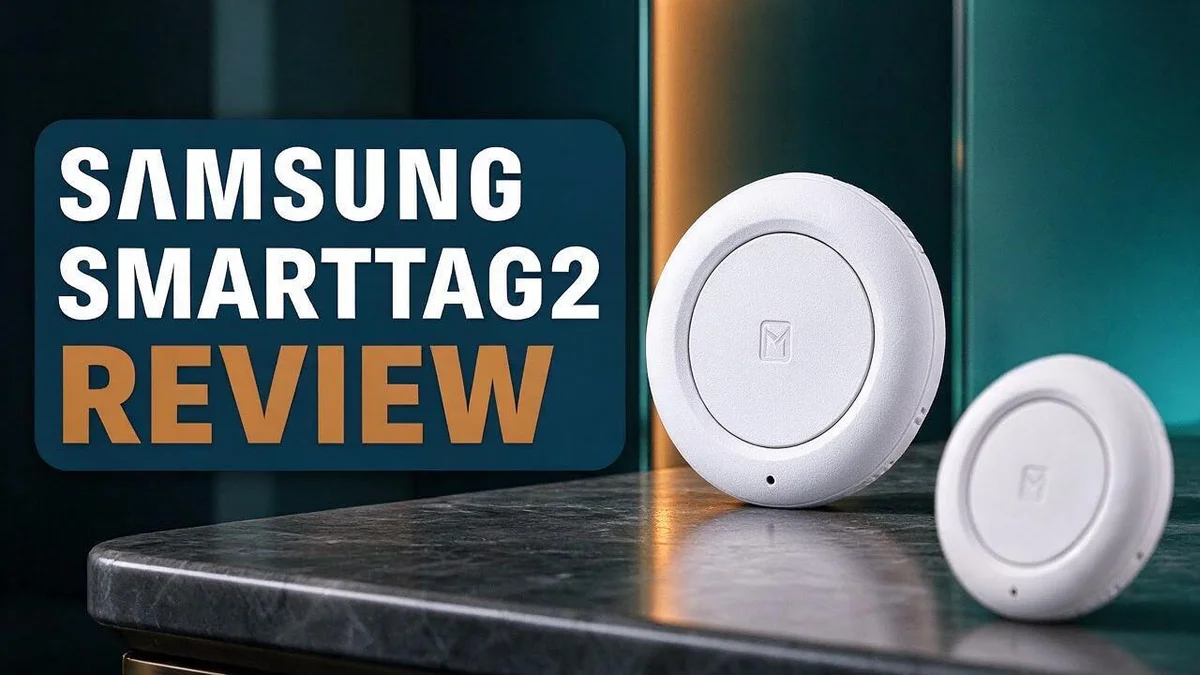
Samsung SmartTag2 Review: Range, Battery Life, Design, and Key Features
Losing your keys always happens at the worst time. The Samsung Galaxy SmartTag2 is designed to end that stress.
This small tracker is light, compact, and ready to go. It weighs just under 14 g and attaches to your keys with a built-in loop.
It is also waterproof and dustproof, so rain or dust will not stop it. The battery lasts up to 500 hours and can be replaced when needed.
Its UWB and AR features help you find items quickly and accurately. Samsung also offers one of the largest networks for tracking items that are out of sight.
In this review, we cover the design, performance, and key features. We also compare it with Apple AirTag, Tile Pro, and Chipolo to see if it truly stands out.
In a Nutshell
-
Large network for wide coverage: Samsung users can rely on a big finder network. This helps the SmartTag2 locate lost items, even when they sit far out of sight.
-
Long-lasting battery: The tracker can run for up to 500 hours on one battery. When the battery runs low, you can simply replace it.
-
Improved SmartThings app: The app feels better than the one on the older model. It gives you a clear view of where your items are and helps you keep track of them with less effort.
-
Feature-rich design: One reviewer says it packs more features than any competitor. That makes it a strong pick for everyday use.
-
Best for Galaxy owners: The tracker works only with Samsung Galaxy phones. If you own an iPhone, you may want to look at options like Apple AirTag.
-
Strong competition: Tile Pro and Chipolo also compete in this space. One source calls Tile outdated, so the SmartTag2 stands out in a crowded market.
Design and Build

Last update on 2026-11-03 / Affiliate links / Images from Amazon Product Advertising API Some of the links on this website are affiliate links, which means that at no additional cost to you, I earn a commission if you click through and make a purchase. I only recommend products and services that I believe will add value to my readers. Thank you for your support!
The Galaxy SmartTag2 has a clean and simple look. Its sleek shape slips easily into a pocket, bag, or purse. Most people forget it is there until they need it.
Size matters a lot for a tracker. This model stays compact, so it will not crowd your keyring. You can also tuck it into a wallet or a small zip pouch without any trouble.
Pet owners will appreciate the slim profile too. It fits many collar styles without adding much bulk. Your pet will hardly notice it is wearing a tracker. The light feel also helps animals stay comfortable on long walks.
The build feels more durable than the older model. Samsung upgraded the protection, so the tag handles tough days better. Everyday knocks feel less worrying as a result.
One design detail stands out. The battery can be replaced. You do not need to buy a new tracker when the power runs low. This simple choice keeps the tag useful for longer. It also cuts down on waste, which feels good for the planet.
The body feels solid in your hand. Some trackers feel flimsy or plasticky. This one feels more like a small, finished accessory. Quality you can feel builds confidence in the product.
Those who want something that stands out may find the look quite understated. A subtle finish helps the tag blend in with everyday items. That makes it easy to pair with almost any keyring or bag.
Overall, the design feels practical and easy to live with. It blends into daily life and handles real use well. If you want a small tracker that stays out of the way, this design makes a strong case.
Tracking Range and Finding Accuracy
Tracking range decides how far your keys can be found. The SmartTag2 relies on a large network of nearby Galaxy phones. When your tag leaves your side, other devices can pass along its location.
This crowdsourced approach gives the tracker one of the largest out of sight ranges available. You do not need to stand near a lost bag for it to report a spot.
Range works in two stages. First, the app shows a map pin with the last known location. Then, closer in, precise finding tools take over.
Close range is where the tracker really shines. Once you get near, UWB measures distance and direction. The app then guides you step by step to the item.
Phone choice matters for accuracy. Newer Galaxy phones with UWB support give the sharpest guidance. Older phones may rely more on basic signal strength.
Walls, metal shelves, and thick bags can block signals. Hold your phone in your hand while you search. This simple habit keeps the connection steady.
Quick tip: Use the sound alert when the item sits in the same room. Switch to the AR view for the final few steps. Sound helps most when keys hide under a couch.
Crowded places can speed up location updates. Busy streets and train stations hold many nearby devices. Quiet rural areas may need more time for a fresh pin.
Signal interference from other gadgets can cause brief delays. Nearby wireless routers and microwave ovens can add some noise to signals.
If the pin looks off, move a few steps and check again. Changing your position helps the app refresh its reading. Patience pays off in the end.
Keep the SmartThings app updated too. New versions bring better tracking tools and smoother map views. A quick update check takes only a minute.
Overall, the SmartTag2 covers large areas well. It also guides you clearly once you reach the last few meters. Lost items can come back into sight fast.
Battery Life and Replacement
Battery life matters more than most people think. A tracker that dies at the wrong time leaves you searching with no help. The SmartTag2 avoids that problem for most owners. Its battery lasts a long time, so you rarely think about it.
Battery drain depends on how you use the tracker. Frequent location updates in busy areas use more power. Quiet days at home use much less. Most people will notice the change only after many months.
Knowing when to replace the battery is simple. The SmartThings app warns you when the battery runs low. Take that alert seriously. Replace the cell soon after you see it, so the tracker never goes silent.
Replacing the battery takes only a few minutes. Twist the back cover open with your fingers. Remove the old cell and note which side faces up.
Place the new battery the same way. Handle it by the edges so oil from your fingers does not reach the contacts. Press the cover back until it clicks. Check that the seal sits flat so water and dust stay out.
Use a fresh battery from a trusted seller. Low quality cells may drain fast or leak inside the case. Replace it with the same type listed in the manual. Check the date on the package before you use it. Keep a spare on hand so you never have to wait.
Extra habits help the battery last longer. Keep the tracker away from extreme heat, such as a hot car dashboard. Use the sound alert only when you need it, since sound uses extra power.
Make battery checks a regular habit. Look at the battery level in the app once a month. Fix any issue early, and your keys stay easy to find.
When the battery dies, the tracker stops sending location updates. It will not report its position again until you swap in new power. Acting early keeps you from losing track of your belongings.
Overall, battery care feels simple and quick. A few minutes each month keeps the SmartTag2 ready for daily use. Good habits mean fewer surprises.
Top 3 Alternatives
Looking for a different tracker? These three options keep your belongings easy to find. Each one offers something a little different.
Apple AirTag


Last update on 2026-11-03 / Affiliate links / Images from Amazon Product Advertising API Some of the links on this website are affiliate links, which means that at no additional cost to you, I earn a commission if you click through and make a purchase. I only recommend products and services that I believe will add value to my readers. Thank you for your support!
Apple AirTag is a strong choice for iPhone owners. It uses the Find My network, so nearby Apple devices can help locate your keys.
Setup takes only a few minutes. You simply tap your phone to the tag and follow the steps.
Tile Pro

Last update on 2026-11-03 / Affiliate links / Images from Amazon Product Advertising API Some of the links on this website are affiliate links, which means that at no additional cost to you, I earn a commission if you click through and make a purchase. I only recommend products and services that I believe will add value to my readers. Thank you for your support!
Tile Pro offers a long Bluetooth range and a loud speaker. It fits people who use Android phones or who share devices at home.
The app shows the last known location of each item on a map. It also lets you ring a lost item from your phone.
Chipolo ONE

Last update on 2026-11-03 / Affiliate links / Images from Amazon Product Advertising API Some of the links on this website are affiliate links, which means that at no additional cost to you, I earn a commission if you click through and make a purchase. I only recommend products and services that I believe will add value to my readers. Thank you for your support!
Chipolo ONE stands out with a bright, bold design and a loud alarm. It works with both Apple and Android phones, which makes it very flexible.
Its battery is replaceable, so you can use it for a long time. Many buyers like its simple look on a keychain.
Each option fits a different lifestyle. Pick the one that matches the phone you use and the items you want to track.
Smartphone Compatibility and App Experience
Setup happens inside the SmartThings app. Open the app and tap the add device option. The guided steps pair the tag in under a minute.
Sign in with your Samsung account. This step links the tag to your profile. It also lets the app store your tag history safely.
Once paired, the tag appears on a clear home screen. You can see every tracker you own in one list. Renaming each tag makes searching faster.
Location history shows where your item was last seen. The app displays a map with recent points. This helps you retrace your steps when something goes missing.
Notifications keep you in the loop. You can turn on alerts for when you leave a tagged item behind. Pick the alert style that suits your daily routine.
Unknown tracker alerts protect your privacy. Your Galaxy phone warns you if a tag travels with you without your permission. The feature runs quietly in the background.
Family sharing makes group searches easier. Some users can share access with household members. Everyone can help locate bags, keys, or pet collars.
Tidy lists work best. Remove tags you no longer use. A short list makes the app easier to scan during a busy morning.
Account security deserves attention too. Use a strong password and turn on two step verification where possible. This protects the location data stored in your account.
Phone storage and permissions matter. Allow the app to use location and Bluetooth when prompted. Without these permissions, the tag cannot report its position.
Check the map before you walk far. The pin may shift as nearby devices report new data. A quick look at the timestamp shows how fresh the location is.
Your phone brand decides the experience. Galaxy owners get the full feature set, which makes the SmartTag2 a natural choice for loyal users.
Final thought on the app. The SmartThings experience feels simple for everyday use. Most people learn the main screens within a single session. Friendly menus keep everything easy to find.
Pros and Cons
Pros
- Light weight: It weighs just under 14 grams, so it barely adds bulk to your keys.
- Tough build: It is waterproof and dustproof for everyday messes and rain.
- Built-in loop: It attaches to keys or a collar without an extra holder.
- Sleek look: Its compact shape fits easily in a pocket or bag.
- Better than before: The water resistance and app both improved over the older model.
Cons
- Samsung only: It works only with Samsung Galaxy phones.
- Fixed phone choice: Switching to another brand of phone means the tag stops working.
- Rivals cover more: Apple AirTag, Tile Pro, and Chipolo support a wider range of phones.
Who Should Buy It
If you own a Samsung Galaxy phone, this tag fits your daily life well. It pairs with the phone you already carry. You skip the hassle of learning a new system.
Pet owners may also find it useful. The loop lets you attach it to a collar with ease. Your dog or cat stays easy to track on a walk in the park.
Busy parents can use it too. Kids often leave backpacks, lunch boxes, or sports bags behind. A quick check in the app helps you find them before school starts.
Frequent travelers make great candidates. Luggage gets lost, and a tag on the handle gives you peace of mind. It stays light, so it does not weigh down a rolling suitcase.
Commuters who juggle keys, wallets, and bags will like it as well. Keys disappear into couch cushions or coat pockets. A precise search helps you locate them within seconds.
Outdoor fans can rely on it during muddy hikes and long bike rides. Your gear stays easier to check, even when the trail gets rough.
Anyone who hates losing things every week should consider it. Constant searching wastes time and stress. This tag makes the hunt much shorter.
Minimalists will enjoy how quietly it blends in. It sits neatly on a keyring and slips into a pocket without drawing attention.
Students living in shared apartments also benefit. Roommates often swap keys or grab the wrong bag. A tag helps everyone keep track of their own belongings.
On the other hand, people who use an iPhone or Android phone should look elsewhere. Your phone must be a Samsung device for the tag to work. Think about your current phone before you decide.
In short, the tag suits people who carry Samsung phones and hate losing small items. It fits pet owners, parents, travelers, and students alike. If that sounds like you, this tag deserves a close look.
Think about your daily routine before you buy. Ask yourself how often you lose items. The answer will guide your choice.
Final Verdict
The Samsung Galaxy SmartTag2 is a strong choice for Samsung owners. It mixes long battery life, precise finding, and a compact body. Most buyers will feel happy with it.
Battery life is the standout feature. The tag lasts up to 500 hours on one battery. You can also swap in a new battery when the old one runs low, so the tag stays useful for longer.
Ultra wideband and augmented reality work together. This pairing guides you step by step toward a lost item. It cuts down on guesswork when you search a crowded room or a messy bag.
The network adds real value too. Many Galaxy users help report locations, so your item has a better chance of being found far from home.
Replaceable parts also help the planet. Instead of tossing a dead tracker, you keep the same device running. That approach suits people who care about waste.
One source calls Tile outdated. That view makes this tag look like a modern option. Its newer design and stronger features give it an edge over older trackers.
The main drawback is clear. The tag only works with Samsung Galaxy phones. That limit matters most for households that mix phone brands.
Think about your phone before you buy. If your family uses several brands, a rival tracker may serve everyone better. Compare your options carefully before you commit.
Who should buy it? Samsung owners who want a simple, durable tracker will feel at home. The tag suits people who value quick finding over broad compatibility.
Overall, the SmartTag2 improves on its predecessor and packs many useful features. Its strengths outweigh its limits for loyal Samsung users. If your phone matches, this tag is a confident choice.
Give it a try if you already use a Samsung phone. You will likely save time every week when you stop searching for small items.
Frequently Asked Questions
How far away can the SmartTag2 help me find something?
The tag works with one of the largest networks, so it can help even when your item is out of sight. Nearby Samsung devices can quietly share its location with you. Open the app to see where the tag last appeared.
Can I replace the battery myself?
Yes. The battery is replaceable, so you do not need a new tag when power runs low. Open the back cover, swap in a fresh coin cell, and close it again. Keep old batteries away from children and pets.
Is the SmartTag2 useful for travel bags?
Yes. Attach it to a suitcase handle, a backpack zipper, or a carry-on. Its small size keeps it out of the way. Check the app before you leave a hotel or train so you can spot a missing bag fast.
Can I track several items at once?
Yes. Each tag works on its own, so you can use one for your keys, one for your wallet, and one for your bag. Give each tag a clear name in the app. Clear names make searching much easier.
What should I do if the app cannot find my tag?
First, move to an open area and wait a moment. Next, check that your Samsung Galaxy phone has the latest version of the SmartThings app. Then try the finding feature again. Most lost tags appear after a short wait.

Hello everyone my name is Alenya and i am a gadget discovering Enthusiast 🐻🐻