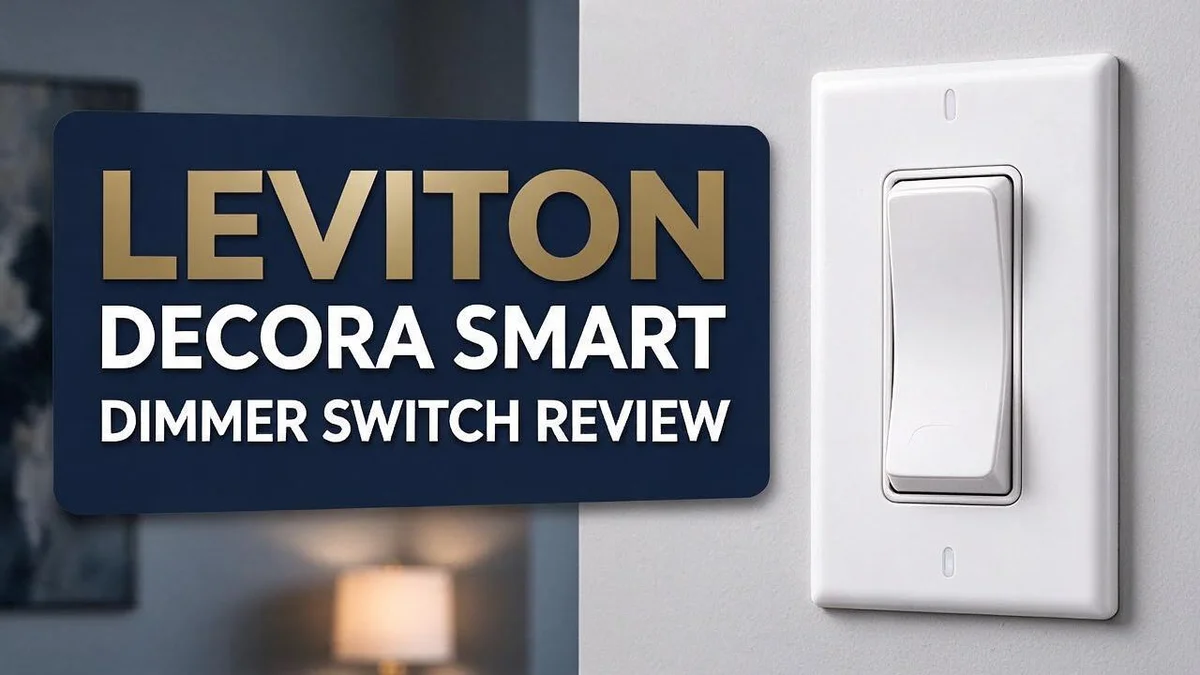
Leviton Decora Smart Dimmer Switch Review 2026: Worth It?
Want a simple way to control your lights from your phone? A smart dimmer switch can change the whole feel of a room. It sets the mood for movie nights, cozy dinners, or early morning coffee.
The Leviton Decora Smart Dimmer Switch is a popular pick for home upgrades. It installs with ease and works with Alexa, Google, and Apple HomeKit. Many owners enjoy smooth dimming that stays free of flicker.
But no product is perfect. Some buyers mention a cheap feel on the dimmer buttons and an occasional glitch. This review looks at the good and the bad, so you can decide if it fits your home.
In a Nutshell
-
Easy setup: Most people can install this dimmer without much trouble. The setup process feels simple for both new and experienced users.
-
Works with major voice assistants: The product listing points to support for Alexa, Google, and HomeKit. This gives you flexible control over your lights from different apps and speakers.
-
Smooth dimming: Lights fade up and down without visible flicker. This helps you set a soft glow for evening dinners or late-night reading.
-
Solid build quality: A HomeKit News review praised its performance and overall build. Reviewers said the switch performs well and feels well made.
-
Plastic button feel: The dimmer buttons can feel cheap to the touch. Some owners notice this right away, even if the switch works well.
-
Possible issues to expect: The switch may glitch now and then. It can make a light clicking noise and run warm during use. Some users report quality problems or failures, so read the warranty details before you install it.
Installation and Setup


Last update on 2026-10-28 / Affiliate links / Images from Amazon Product Advertising API Some of the links on this website are affiliate links, which means that at no additional cost to you, I earn a commission if you click through and make a purchase. I only recommend products and services that I believe will add value to my readers. Thank you for your support!
Good planning makes the install go smoothly. Pick a time when you do not need that light. Gather a screwdriver, a voltage tester, and wire nuts before you begin.
Turn off the power first. Flip the breaker that controls the switch. Then use a voltage tester on the wires to confirm the power is off. Never skip this step.
Check your wiring before you remove the old switch. A smart dimmer usually needs a neutral wire in the wall box. Many older homes lack one.
Look for a white or gray wire bundled with the other conductors. If you see none, ask a licensed electrician for help.
Next, check your light bulbs. Dimming works best with bulbs marked dimmable. Some LED bulbs flicker when paired with any dimmer.
Once the wires connect, fold them carefully into the box. Give the switch room to sit flat. This matters because the unit runs warm.
Leave space around the device so heat can escape. A crowded box traps warmth and can wear the switch down over time.
Attach the Decora style faceplate last. Tighten the screws evenly. Then restore power at the breaker and test the switch by hand.
Set up the app next. Download the Leviton app on your phone. Create an account and follow the onscreen steps.
The app walks you through connecting the dimmer to your home wireless network. Keep your phone close to the switch during this stage.
Name each switch clearly. Names like Kitchen Ceiling or Hallway Lamp make voice commands easier. They also help everyone find the right light fast.
Finally, run a quick test. Turn the light on and off from the wall and the app. Then try a few dim levels.
If the light does not respond, check the wireless connection and restart the breaker. Most small glitches clear up that way.
Dimming Performance and Smoothness
Dimming performance decides how much you enjoy a smart dimmer every day. The Leviton Decora Smart Dimmer handles this job well in most rooms.
Low light settings matter most. Many people dim lamps late at night. This switch keeps the lowest levels usable, so a bedroom glow stays calm.
Bulb choice still shapes the final result. LED bulbs often respond differently than older incandescent bulbs. Check the package for dimmable support before you install.
Test the full range after setup. Move the brightness from maximum to minimum slowly. Watch for uneven steps as you go.
The app adds another layer of control. You can save a preset brightness for each room. A morning routine can bring the lights up at a set time.
Voice commands make fine adjustments easy. You can ask for a specific brightness level. Simple requests like “dim the kitchen to half” work well when your hands are busy.
Gentle lighting also helps in hallways and stairs. A low glow guides people at night without harsh glare. Pick a soft level so your eyes adjust without strain.
Dimming also changes the mood of a room. Warm light at lower levels feels cozy for dinner or movie nights. Bright light at full power suits cleaning, homework, or cooking.
Some owners mention a light clicking sound during dimming. The switch can also feel warm after long hours of use. These details appear in user feedback, so they deserve a closer look.
Keep your expectations realistic for the lowest setting. Some bulbs may not reach the very bottom level evenly. Test your favorite bulbs early, so you know what to expect.
Smart Home Compatibility
Think of this dimmer as one piece of a larger smart home setup. It can take commands from your voice, your phone, and your daily routines.
Most smart home platforms let you group lights into rooms. Create a room called Living Room and add every fixture inside it. Then one spoken phrase can change all of them at once.
Scenes take this idea further. A Movie Night scene can set the living room lights to a low glow and turn on the TV.
Scenes save time because one command triggers several actions. The dimmer handles the lighting part while other devices handle the rest.
Schedules add another layer of control. You can have lights fade up in the morning or fade down before bed. This makes your home feel calm without extra effort.
Motion sensors can pair with your smart lights too. A hallway light can brighten when someone walks by at night. Check that your sensor supports the same platform before you buy it.
Your wireless network plays a big role here. The dimmer relies on a steady connection, so a weak signal near the wall box can cause delays. Good placement helps too.
If commands lag, move your router closer or add a mesh extender.
Mixing brands can cause headaches. Before you add other gear, confirm each device works with your chosen assistant and app. This quick check saves time and frustration later.
Vacation mode can make your home look occupied. Set a schedule that turns lights on and off at different times while you travel. Many apps offer similar options, so check your settings before you leave.
Start small and grow at your own pace. Add this dimmer to one room first. Learn how your voice commands and routines behave in daily life, then expand to the rest of your home one room at a time.
Top 3 Alternatives
Lutron Caseta Dimmer

Last update on 2026-09-19 / Affiliate links / Images from Amazon Product Advertising API Some of the links on this website are affiliate links, which means that at no additional cost to you, I earn a commission if you click through and make a purchase. I only recommend products and services that I believe will add value to my readers. Thank you for your support!
Lutron Caseta is a trusted choice for smart lighting. Many models work with a simple hub, and the setup feels easy. You can control your lights with an app, a remote, or a voice assistant. Caseta dimmers often fit standard wall boxes, which keeps the upgrade simple. Scenes and schedules help you set the mood each evening.
Kasa Smart Dimmer

Last update on 2026-10-28 / Affiliate links / Images from Amazon Product Advertising API Some of the links on this website are affiliate links, which means that at no additional cost to you, I earn a commission if you click through and make a purchase. I only recommend products and services that I believe will add value to my readers. Thank you for your support!
Kasa offers a budget-friendly way to add smart control. Most models connect through Wi-Fi, so you may skip a separate hub. Setup takes only a few minutes in the Kasa app. Some models also track energy use, so you can see how much power your lights draw. You can pair it with voice assistants and set timers when you are away.
GE Enbrighten Dimmer

Last update on 2026-10-28 / Affiliate links / Images from Amazon Product Advertising API Some of the links on this website are affiliate links, which means that at no additional cost to you, I earn a commission if you click through and make a purchase. I only recommend products and services that I believe will add value to my readers. Thank you for your support!
GE Enbrighten brings easy smart lighting to your home. Its app is simple to use, and voice control works with many assistants. The dimming range feels smooth, and the design looks clean on the wall. Check compatibility with your bulbs before you buy. You can create routines that turn lights on or off at set times, which makes daily life more convenient.
Build Quality and Tactile Feel
Touch matters more than most people expect. You use this switch every day, so the feel counts.
A quick press should feel sharp and direct. The buttons on this dimmer feel light, though. Some reviewers describe the surface as cheap plastic.
That plastic look can change how solid the switch seems. Your hand may notice it before your eyes do.
Heavier switches often feel more premium in the hand. This one feels lighter, which some people may dislike.
Leviton has made light switches for over 111 years. That history shows in the basic design. The switch still feels like a familiar wall device.
The HomeKit News review praised the overall build quality. It also described the performance as good.
Yet some owners report failures. Quality can vary from one unit to another. Check your switch soon after installation.
Occasional random glitches can also shake your confidence in the controls. You want buttons that always respond the same way.
Button travel also matters. Short, crisp travel feels precise. Mushy travel feels unreliable, so test it carefully.
Run a simple tactile test. Press each button several times. Listen for a clean click and watch for a steady response.
The front cover should not flex under light pressure. A flat, snug fit against the wall also signals a solid install. Gently push the switch and check for wobble.
Think about who uses the switch. Kids, guests, and older adults may press it differently. A firm, clear response helps everyone.
The feel also shapes trust. When a switch responds the same way each time, you stop worrying about it.
Keep the plastic feel in mind, but do not judge too fast. Your daily use will show the real strength.
Build quality is a mixed picture. Good reviews stand next to honest complaints. Weigh both before you decide.
Heat and Operating Noise
Heat is one of the first things many people notice with a smart dimmer. The Leviton Decora Smart dimmer can run warm to the touch.
A little warmth is normal. Dimmers control power, and some of that energy turns into heat.
Heat builds up most when the load is high. The load means the total wattage flowing through the switch.
Check the wattage rating first. Read the label on the packaging and stay within the listed limit.
Bulb choice matters too. Use bulbs that are labeled dimmable and listed as compatible with the switch.
Poor bulbs can flicker or hum. They can also push the switch harder than expected.
Operating noise is the other concern. Some setups produce a faint hum while the lights are dimmed.
Most of the time, the sound comes from the bulb rather than the switch. LED bulbs are more likely to buzz at low levels.
Try a different bulb brand to test this. If the hum disappears, the bulb was the cause.
Airflow also keeps the switch cooler. Install it in a box with enough room for the wires.
Do not cram wires behind the switch. Tight packing traps heat and makes the device run hotter.
Give the switch space to breathe. Leave a little slack in the wires and avoid stacking extra devices in the same box.
Heat and noise can also signal a loose connection. Tighten the terminal screws during installation. A loose wire can cause buzzing and warmth at the same time.
Keep an eye on the switch during the first week. Note any changes in sound or temperature. Early signs help you act before a problem grows.
Check the switch after long sessions. Touch the cover gently.
Stop using it if the switch smells burnt. Turn off the power at the breaker. Contact Leviton support or a licensed electrician for help.
Pros and Cons
Pros
– Setup is simple for most DIY homeowners.
– Works with Alexa, Google, and HomeKit voice assistants.
– Dimming stays smooth across the full range.
– The model number DW6HD-1BZ makes it easy to match the right version.
Cons
– Compatibility details come from a related listing, not the dimmer itself.
– A light click can stand out in a quiet room.
– Mixed owner feedback means you should check the return policy first.
Who Should Buy It
This switch suits people who rely on voice control every day. If you often ask for lights to dim at night, your routine gets easier. Voice commands become the main way you use it.
Families with mixed smart devices also benefit. A single dimmer can join a wider setup without much fuss.
Bedrooms are a natural fit. Gentle dimming helps create a relaxed mood before sleep. Parents may also like softer lights during bedtime stories.
Living rooms and dining areas are strong choices too. Guests notice the smooth transitions as the lights change. Movie nights feel easier when the room dims with one touch.
Office spaces can benefit as well. Meeting rooms often need quick lighting changes for slides or calls. Staff can adjust brightness without getting up from their seats.
Some buyers prefer a professional install. Anyone unsure about wiring should hire a licensed electrician. A quick check before buying can save time and stress.
Confident DIY fans can handle the swap alone. Turn off the power at the breaker first. Take a photo of the old wiring so you can match each wire.
Renters should ask before making changes. Many leases limit switch upgrades. A landlord may need to approve the work first.
People who want a basic light switch might feel overwhelmed. Standard dimmers need no app, no network, and no setup. This model suits those who enjoy learning new tech.
Homeowners planning a full smart home should map out their needs first. A single switch works best when it fits a clear plan. Think about rooms, routines, and devices before you start.
Final thought: match the switch to your daily habits. Pick it if you want voice control and flexible scheduling. Skip it if you want a simple switch with no tech features.
Final Verdict
Is this switch worth adding to your home? For most people, yes. The Leviton Decora Smart Dimmer Switch delivers solid performance and comes from a brand with a long track record.
Leviton has made light and dimmer switches for over 111 years. That history shows a company that knows wall controls well. Experience like that matters when a device sits inside your walls every day.
The strengths stand out quickly. Dimming feels steady, and the switch works with many smart home systems. Many owners also find the setup easier than they expected.
The weaknesses deserve honest attention. Some dimmer buttons feel cheap, and a few users report random glitches. A small number of buyers also see failures over time. These issues do not rule out the product, but they show why a careful buyer should stay alert.
Think about your daily routine first. A person who uses voice commands often will likely enjoy this switch the most. A household that rarely uses smart features may find a simpler switch enough.
Future plans matter too. If you plan to add more smart devices later, broad compatibility helps your setup grow without replacing hardware. This gives the switch lasting appeal.
Think about the full experience, not just one feature. Smooth dimming, easy setup, and wide compatibility work well together. Small flaws like a light click count less when daily use feels good.
Here is a simple way to decide. List the lights you want to control. Then check whether each spot suits a smart dimmer. Pick this switch if your plan matches its strengths. Choose another option if a perfect button feel matters most to you.
Overall, the Leviton Decora Smart Dimmer Switch earns a place on your shortlist. It offers smooth control, broad compatibility, and a trusted name. Test it in one room first. Then expand once you feel sure it fits your home.
Frequently Asked Questions
Does this switch need a separate hub?
No, most models connect straight to your home network. You can control it with your voice app once setup is done. Check the box to confirm what you need.
Will the switch fit in a standard wall box?
Many standard single gang boxes have enough room. Measure the depth behind your current switch before you buy. This quick check can save you a return.
What happens if your internet goes down?
App and voice control may stop until the connection returns. Check the manual to see how the switch behaves during an outage. Knowing this ahead of time helps you plan.
Do I need a neutral wire?
Many smart dimmers need one to power their internal parts. Look inside your wall box before you start. If you see no neutral wire, ask a licensed electrician for advice.
Will it work with dimmable LED bulbs?
Dimming depends on both the switch and the bulb. Look for a dimmable label on the bulb packaging. Non dimmable bulbs may flicker or fail to dim at all.

Hello everyone my name is Alenya and i am a gadget discovering Enthusiast 🐻🐻