Owl Labs Meeting Owl 3 Review: The Only Guide You’ll Need
Hybrid meetings can feel messy. Voices fade, faces get cut off, and remote teammates struggle to follow along. The Owl Labs Meeting Owl 3 aims to fix that.
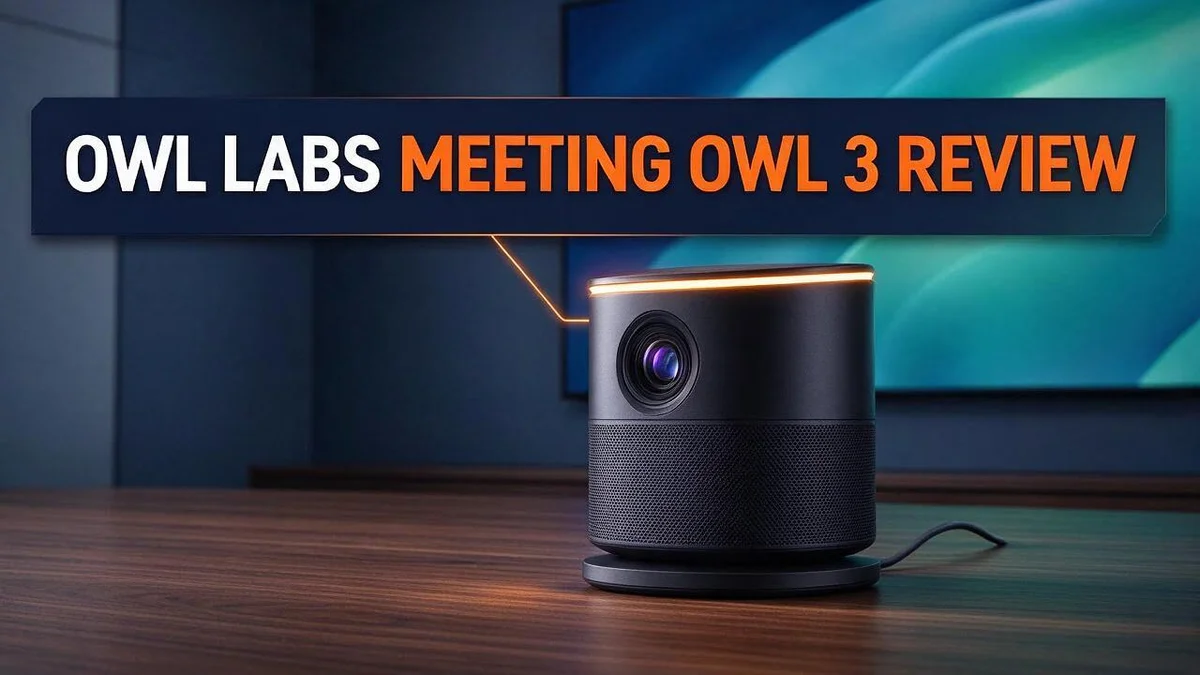
It combines a 360° camera, a built-in mic, and a speaker in one unit. The device records 1080p HD video and picks up voices up to 18 feet (5.5 m) away.
Its AI speaker tracking keeps the active person in view. Many users say it helps people far from the host computer finally get heard.
Some reviewers, however, point out that the centered owl design can feel odd in larger group calls. Still, it remains a strong option for many meeting rooms.
In this guide, you will learn what the Meeting Owl 3 does well, where it falls short, and who should consider it. Let’s take a closer look.
In a Nutshell
-
Voices from far away get heard: Many meetings lose audio from people seated far from the host computer. The Meeting Owl 3 picks up voices from up to 18 feet away, so quiet guests stay in the conversation.
-
Past reviews show strong results: LaptopMag called the video and audio of the predecessor, the Meeting Owl Pro, excellent. This feedback suggests the newer model builds on a proven base.
-
Larger rooms can be covered: Two units can pair wirelessly. Teams with big meeting spaces can add a second unit instead of switching to an entirely new system.
-
Microsoft certification offers confidence: This certification gives IT teams a clear sign that the device meets Microsoft’s standards. Setup often feels less risky for organizations that rely on Microsoft tools.
-
Placement makes a real difference: Set the unit near the center of the table so every guest sits within clear range. This simple step helps the camera and microphone perform their best.
-
Who should take a closer look: Teams with small to medium rooms and frequent video calls will benefit most. Organizations with very large halls may want to compare other options first.
360° Camera and Video Coverage


Last update on 2026-10-14 / Affiliate links / Images from Amazon Product Advertising API Some of the links on this website are affiliate links, which means that at no additional cost to you, I earn a commission if you click through and make a purchase. I only recommend products and services that I believe will add value to my readers. Thank you for your support!
Good video makes hybrid meetings feel whole. Remote guests rely on the screen to read faces and body language. A clear view of the full table helps them follow the room.
The 360° camera captures everyone seated around the table. Nobody needs to lean forward or move seats to appear in the frame.
Seat planning still matters. Guests far from the unit may look small on screen. Ask people to sit closer to the center when possible.
Check the view before every important call. Open the video preview and look at the framing. Make sure each face appears clear and not cut off.
Lighting plays a big role in video quality. A bright window behind the table can turn faces into dark shapes. Move seats so light falls on people instead.
Clutter can distract remote viewers. Keep papers, water bottles, and laptops low so faces stay the main focus.
The 1080p video keeps details sharp on most screens. Small facial expressions and hand gestures stay visible, which helps remote guests stay engaged.
Video coverage shapes how people judge the meeting. Remote guests who see clear faces often feel more included. Strong visuals help quieter people feel seen.
Think of the camera as a window into the room. A clean view lets remote guests read the mood and react in real time.
Teams with a larger table may need extra planning. Test how the camera sees the far end before the meeting starts.
A quick test saves time later. Join a short call with a colleague and ask how the picture looks on their screen. Small changes can make a big difference.
Final thought on video. Strong coverage makes hybrid meetings feel fair to everyone. Remote and in-room guests can share the same view.
Microphone Pickup and Speaker Performance
Microphone pickup matters more than most people think. The Meeting Owl 3 picks up voices up to 18 feet away. That range covers most conference tables with room to spare.
Good pickup helps remote guests hear every comment. Quiet speakers no longer get lost in the discussion.
Think about how people talk during a meeting. Some lean back in their chairs. Others speak softly while they type notes. The microphone captures both kinds of voices without asking anyone to lean in.
Speaker performance works just as hard. The unit sends remote voices into the room at a clear volume. People at the back of the room can hear the call without strain.
Loud speakers can create problems too. Sound may bounce off hard walls and return as echo. Test the volume at the start of each call.
Ask a colleague to speak from the far corner. Then adjust the level on your computer. This quick check saves time later.
Soft surfaces help sound stay crisp. Carpets, curtains, and upholstered chairs absorb extra noise. Hard tables and glass walls do the opposite. Plan the room with this in mind.
Background noise deserves attention. Fans, air conditioners, and street traffic can reach the microphone. Close doors and turn off noisy equipment before the call starts.
Keyboard clicks can also reach remote guests. Mute your mic when you are not speaking. Many video platforms offer a quick shortcut for this.
Clear audio also reduces fatigue. Remote guests do not need to strain to follow the talk. Less listening effort keeps people focused for longer.
Overall, the Meeting Owl 3 handles speech well in typical rooms. Its pickup and speaker work together to keep conversations flowing. Strong audio builds trust in the call. Test the setup once, and you can focus on the discussion.
Room Size and Multi-Unit Pairing
Room size sets the first question. Before you choose a setup, measure the space. Count the seats and note how far the farthest chair sits from the unit.
The Meeting Owl 3 picks up voices within 18 feet, or about 5.5 meters. That range works well for many small and medium rooms.
Rooms that stretch beyond that range need a plan. Guests at the far end may sound faint to remote callers. This is where pairing becomes useful.
Two units can pair wirelessly. Pairing lets you cover a longer table or a larger meeting room. Each unit then handles its own section of the space.
Picture the pair as a team of two. Each unit covers its own zone, so the far seats stay in view.
Pairing does not fix every problem. You still need a clear view of each side. Keep each side of the table in view.
Plan the spacing between the two units. Place them so their coverage areas overlap a little. Overlap keeps blind spots out of the room.
Ask a colleague to walk around the table. Note where their voice fades. Also check where the camera cuts them out of frame.
Rooms with tight corners or odd shapes need extra attention. Long tables with a bend often hide seats from one camera. A second unit can fill those gaps.
Check power outlets and cable paths before placing the units.
Not every room needs two units. A small huddle space usually works well with one unit. Save the second unit for rooms that truly need it.
Match the setup to real meetings. Count how many people usually attend. Choose the layout that fits that group, not the biggest room in the building.
Real meetings often change in size. A team may grow from four people to ten. Plan for the usual group and keep room for growth.
Test the final layout with a full group. Invite a few guests to sit in each seat. Check the audio and video from the remote side.
Top 3 Alternatives
Jabra PanaCast 50

Last update on 2026-10-30 / Affiliate links / Images from Amazon Product Advertising API Some of the links on this website are affiliate links, which means that at no additional cost to you, I earn a commission if you click through and make a purchase. I only recommend products and services that I believe will add value to my readers. Thank you for your support!
The Jabra PanaCast 50 gives your room a wide, sharp view. Its panoramic camera covers up to 180 degrees, so everyone at the table stays in the frame. It also uses smart framing to focus on the active speaker. This device works well for medium-sized rooms that host regular video calls.
Logitech Rally Bar

Last update on 2026-10-30 / Affiliate links / Images from Amazon Product Advertising API Some of the links on this website are affiliate links, which means that at no additional cost to you, I earn a commission if you click through and make a purchase. I only recommend products and services that I believe will add value to my readers. Thank you for your support!
The Logitech Rally Bar combines a camera, speakers, and microphones in one unit. You mount it below or above your screen and connect it with a single cable. Its clear audio helps remote colleagues hear every word. It fits well in larger meeting rooms where people sit far from the table.
Poly Studio P15

Last update on 2026-10-14 / Affiliate links / Images from Amazon Product Advertising API Some of the links on this website are affiliate links, which means that at no additional cost to you, I earn a commission if you click through and make a purchase. I only recommend products and services that I believe will add value to my readers. Thank you for your support!
The Poly Studio P15 is a compact option for smaller spaces. It suits a desk, a huddle room, or a home office where one or two people join a call. Its camera and speaker deliver a clean picture and sound without taking up much room. If your team needs a simple setup, this device keeps things easy.
Design and Placement in Meeting Rooms
The Meeting Owl 3 works best in the center of the table. Its round body holds the camera, mic, and speaker in one unit. Setup stays simple because there is only one device to place.
Some users see the centered design as a drawback. A Reddit user in the r/CommercialAV community calls the centered owl design a major flaw in group calls. That view deserves a closer look.
Table shape changes the result. On a round table, the center spot gives each side a fair view. On a long table, the unit may sit in the middle of a crowd, so people at the ends may feel far away.
Height and angle deserve a test. A unit that sits flat on the table can point up at faces. If your room has a shelf or stand, try a higher spot and compare the preview.
Keep the display close by. Place the unit near the main screen so remote guests can look at the screen and the camera at the same time. This feels more natural during a call.
Cables need care too. Keep the power and USB cables short and tidy. A loose cord can get pulled during a meeting and knock the unit out of place.
Mark the spot for the next call. Use a small piece of tape to outline the base. Teams often move chairs and cups, so the tape helps the unit return to the same spot every time.
Check stability before every big meeting. Press gently on the edge to confirm it stays flat. A wobbly unit can tilt the view and make the call feel uneven.
A good placement takes only a few minutes. Test the spot, tidy the cables, and mark the base. These small steps help the Meeting Owl 3 look its best on every call.
Setup, Software Compatibility, and Management
Setup starts with a simple process. You place the unit on the table, connect the power cable, and link it to your computer with USB. Most people finish this in a few minutes.
The unit then appears as a camera, microphone, and speaker on your computer. In most cases, you do not need extra drivers for basic use. Your meeting app detects the device on its own.
Setup also includes one important step inside your app. Open the audio and video settings and select the Meeting Owl 3 for each option. This step stops your laptop from using its built-in mic by mistake.
The Meeting Owl 3 is Microsoft certified. That certification helps it work smoothly with Microsoft Teams. It also fits other common platforms, such as Zoom and Google Meet, because it uses standard USB connections.
Firmware updates keep compatibility strong over time. Newer versions of meeting apps sometimes change how devices connect. Check for unit updates every few months so features keep working as expected.
Management is easier for IT teams. Administrators can use an online management console to view devices across several rooms. They can push updates, check device status, and solve problems without visiting each room.
Single users can manage the unit from their own computer. Volume and mute controls sit in the app menu. A few clicks change most settings, so you can adjust during a call without stopping the meeting.
Account access also matters. Limit admin rights to a small group of trusted staff. This protects settings from accidental changes and keeps every room consistent. Write down the device names so staff can find each unit quickly.
Good management saves time for everyone. Meetings start on time, and guests spend less time fixing audio or video. Regular checks keep the Meeting Owl 3 ready for every call.
Pros and Cons
Pros
- Clear 1080p video helps remote guests see faces well.
- AI speaker tracking keeps the focus on whoever talks.
- The 360° camera captures everyone seated around the table.
- Reviewers praise its video and audio quality.
- Users say it fixes missing audio from people far from the computer.
Cons
- The round body takes up valuable table space.
- Large rooms may strain a single unit’s reach.
- Fine details on a shared screen can look small.
- Mounting choices shape how well faces appear on screen.
Who Should Buy It
The Meeting Owl 3 suits teams that meet across locations often. Hybrid groups share one room while remote guests join from screens. This device helps both sides see and hear each other clearly.
Small and midsize companies often gain the most. They rarely have a dedicated AV team. One unit that handles camera, microphone, and speaker keeps setup simple for everyone.
Organizations with several meeting rooms also fit well. Staff can move between rooms and find the same experience each time. This consistency saves time and reduces confusion for busy employees.
Sales, training, and client teams gain a lot from it. These groups host presentations and demos for outside guests. A clear view of every speaker helps build trust during important conversations.
Schools and nonprofit groups may also find value here. Their rooms often seat many people around one table. A single device can cover the whole table without extra gear.
Before you decide, list your typical meeting sizes. Count how many people usually sit around the table. If most meetings have four to eight people, this device covers that space well.
Solo workers should look elsewhere. If you take calls alone at a desk, a personal webcam and headset usually work better. This device is built for group rooms, not single seats.
Very large auditoriums need a stronger system. Teams that need coverage across big halls may compare the Logitech Rally or the Crestron Flex Large Room Videobar 70. Smaller rooms may fit the Innex Cube or Logitech Sight better.
The right choice depends on room size and daily meeting habits. Map out who sits where and how often remote guests join. Ask your team which meetings cause the most trouble. That simple check shows whether this device fits your team.
Final Verdict
The Owl Labs Meeting Owl 3 earns a strong spot on any shortlist for hybrid teams. It packs video, sound, and speaker tracking into one simple device.
Its biggest strength is how little effort it asks from the room. Teams do not need extra cameras or ceiling mics to get good results. That keeps the meeting space clean and uncluttered.
Competition is strong, so comparing rivals still makes sense. Logitech Rally, Yealink SmartVision 60, and Crestron Flex Large Room Videobar 70 target similar rooms. Each one brings its own strengths to the table.
The design still deserves a careful look. A Reddit user in a commercial AV community calls the centered owl design a major flaw in group calls.
Teams with large groups should test how the unit sees everyone before they commit.
Growth is another point in its favor. Two units can pair wirelessly to cover bigger rooms. Companies can start small and add a second unit later.
Past reviews add weight to the new model. LaptopMag praised the predecessor, the Meeting Owl Pro, for excellent video and audio in 2021. That track record gives buyers more confidence in this newer version.
Daily use matters too. Quick joins and clear audio keep meetings on track. Staff spend less time fixing tech issues and more time on ideas.
The final call comes down to room size and layout. Measure your typical meeting space first. If the centered design fits your table and team, this unit delivers strong results. If not, compare other options before you buy.
Overall, the Meeting Owl 3 offers a solid mix of strengths and trade offs. It serves hybrid groups well. Its wireless pairing also hints at long term flexibility for growing offices, so shoppers who value simplicity will likely appreciate it most.
Frequently Asked Questions
How far can the Meeting Owl 3 hear people?
The unit picks up voices up to 18 feet, or 5.5 meters, away. *Guests at the far end of a table can still be heard clearly. This range helps most in rooms where people sit spread out.
Can you use two Meeting Owl 3 units in one room?
Yes, you can pair two units wirelessly. This setup suits larger rooms that one unit cannot cover well. Pairing gives the room more reach across the whole group.
Is the Meeting Owl 3 certified for Microsoft meetings?
Yes, the device carries Microsoft certification. This means it works well with Microsoft meeting platforms. Teams that already use Microsoft tools may find the setup simpler.
What do critics say about the design?
One Reddit user from the commercial AV community says the centered owl design creates problems in group calls. The concern focuses on how the unit sits in the middle of the group. Check your room layout to see if this placement suits your team.
Which rivals should you compare first?
Strong options include the Innex Cube, Logitech Sight, Yealink SmartVision 60, and Logitech Rally. Crestron Flex Large Room Videobar 70 and Biamp VBC 2500 also target bigger spaces. Test the camera view and audio pickup in your own room before you decide.

Hello everyone my name is Alenya and i am a gadget discovering Enthusiast 🐻🐻